We’ve rolled out a series of updates to the LinkHMS billing module to give you more control with less effort. These improvements will provide a more consistent user experience across all departments and full visibility into managing your practice’s finances.
What’s new?
- Unified invoices in one place
- Quicker invoice access with updated filters
- Customizable invoice details for PDF invoices
- Quick and flexible payment recording
- Built-in payment tracking with automatic balance updates
- Payment history & reversal
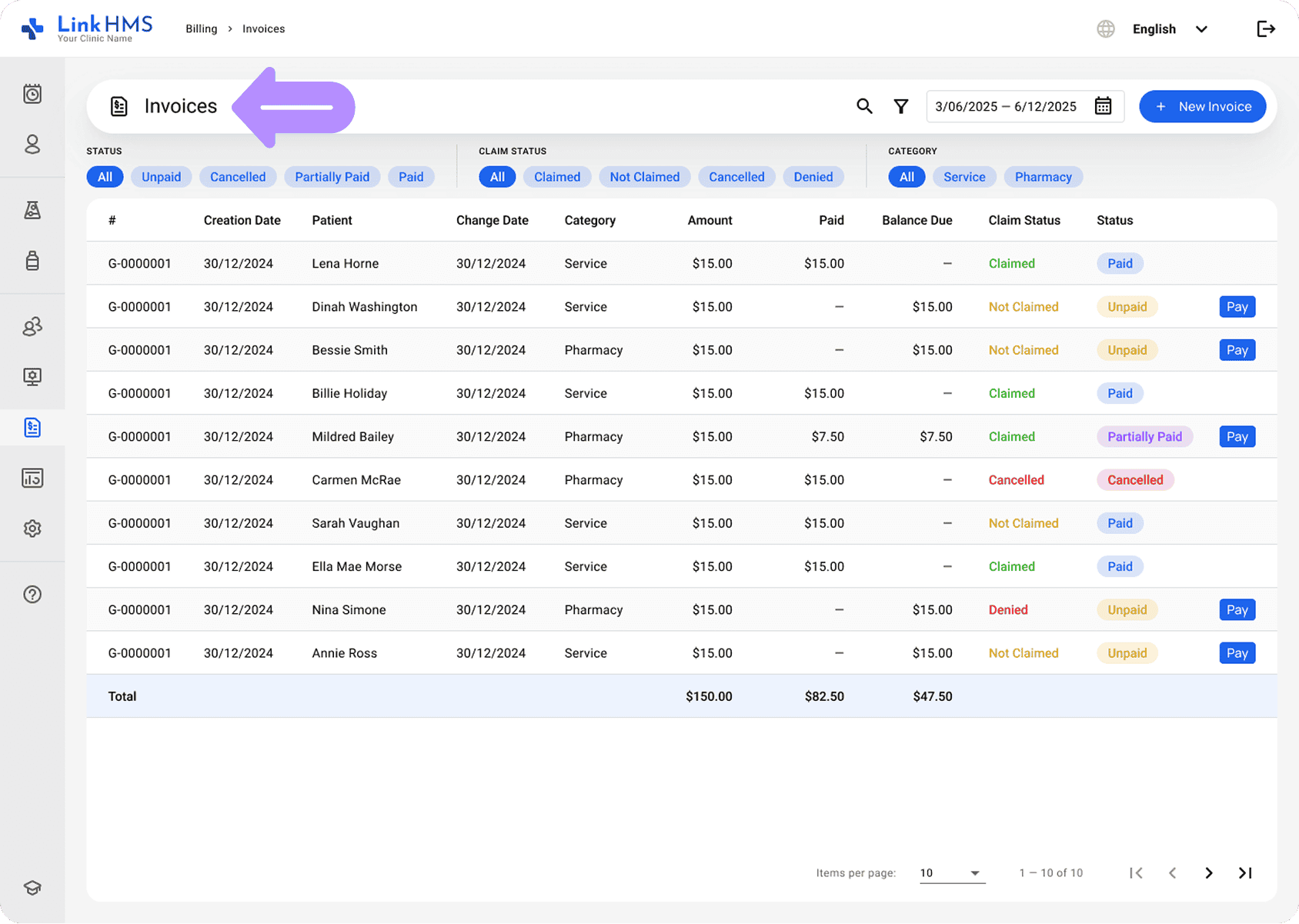
Consolidated invoices
You can now manage all invoices in one place, with Service and Pharmacy invoices combined into a single view. It’s easy to switch between categories and quickly find what you need with no more jumping between separate sections. Invoice access is role-based, so pharmacists can manage only Pharmacy invoices, while other staff have access based on their permissions.
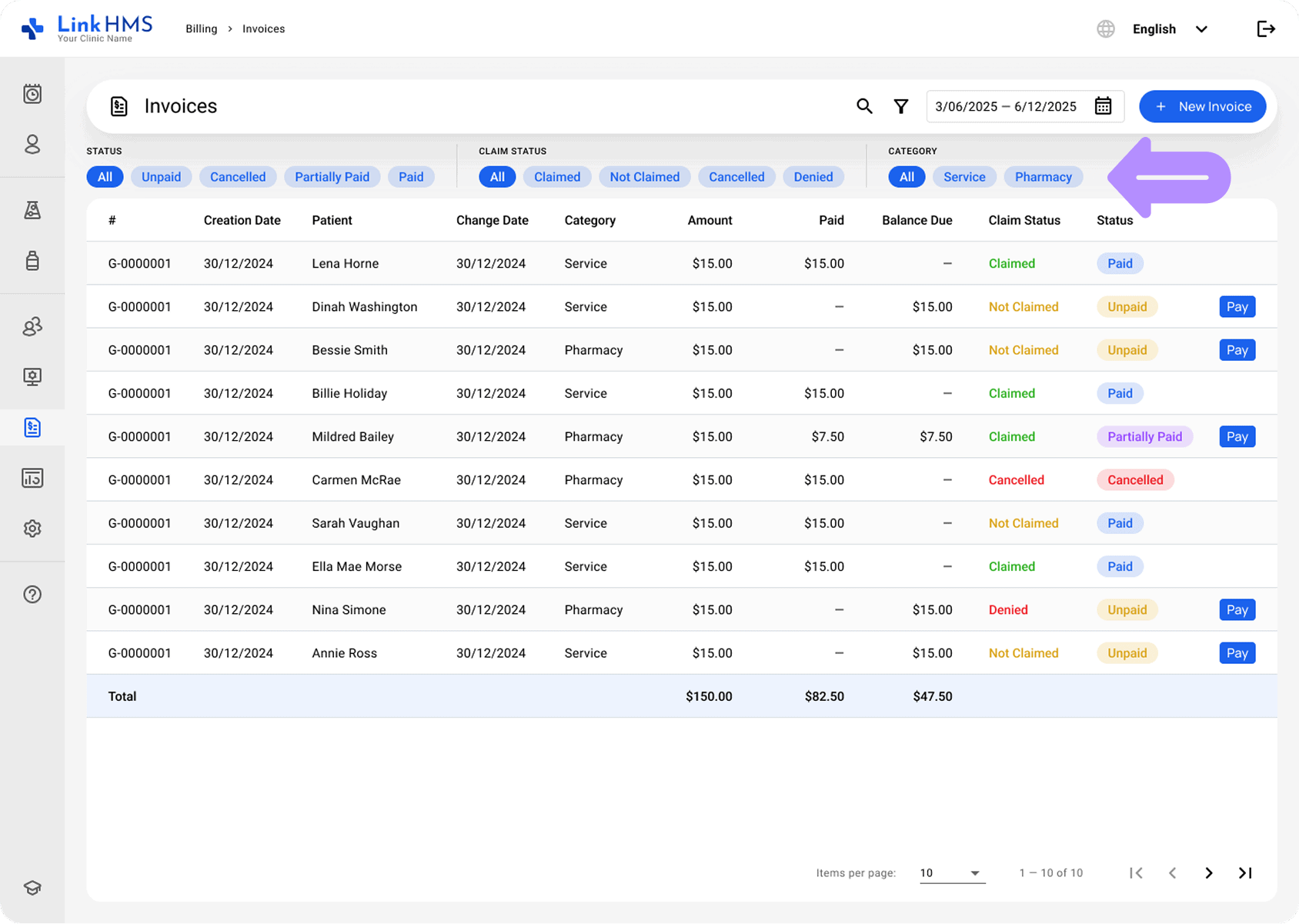
Quicker invoice access with updated filters
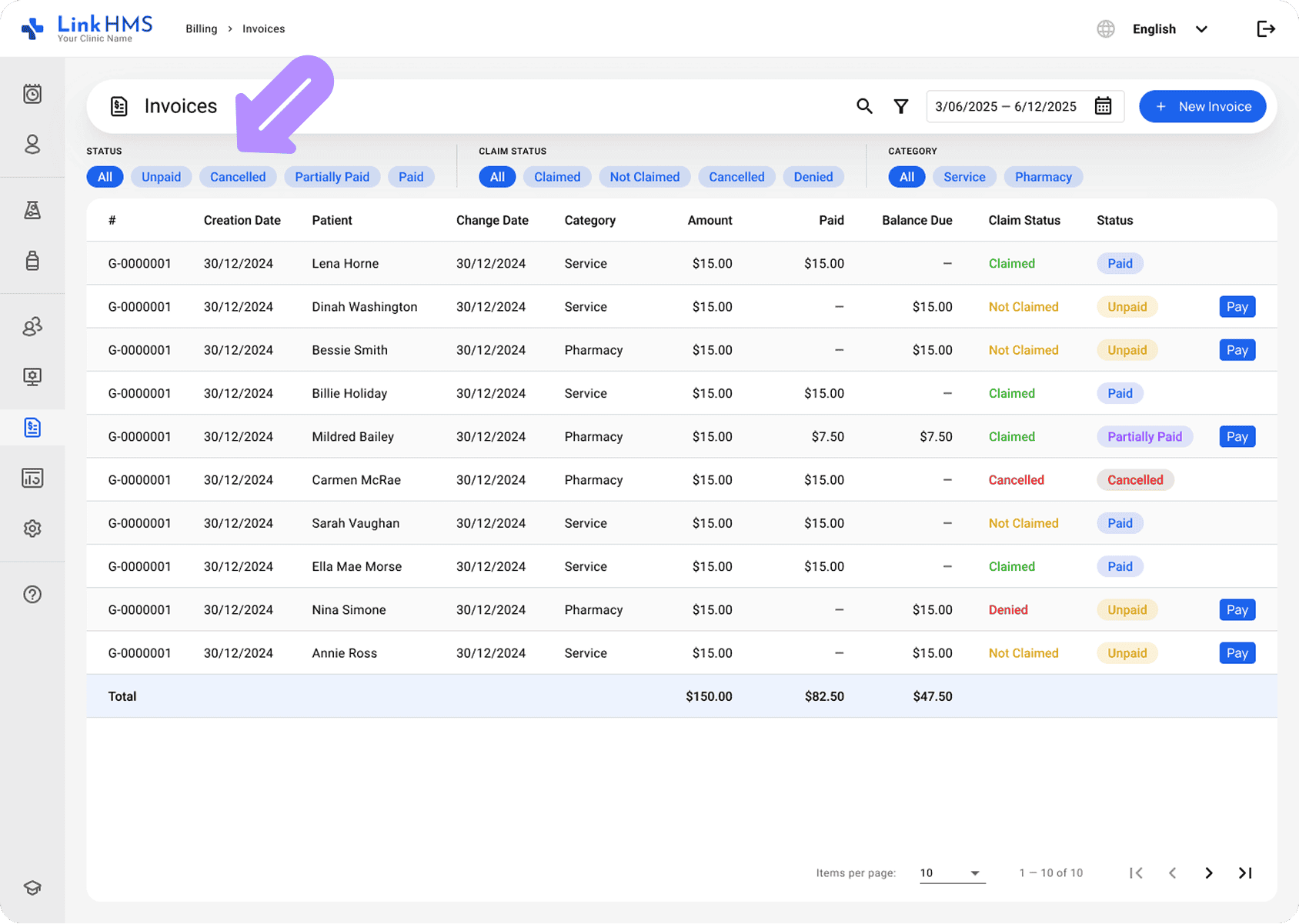
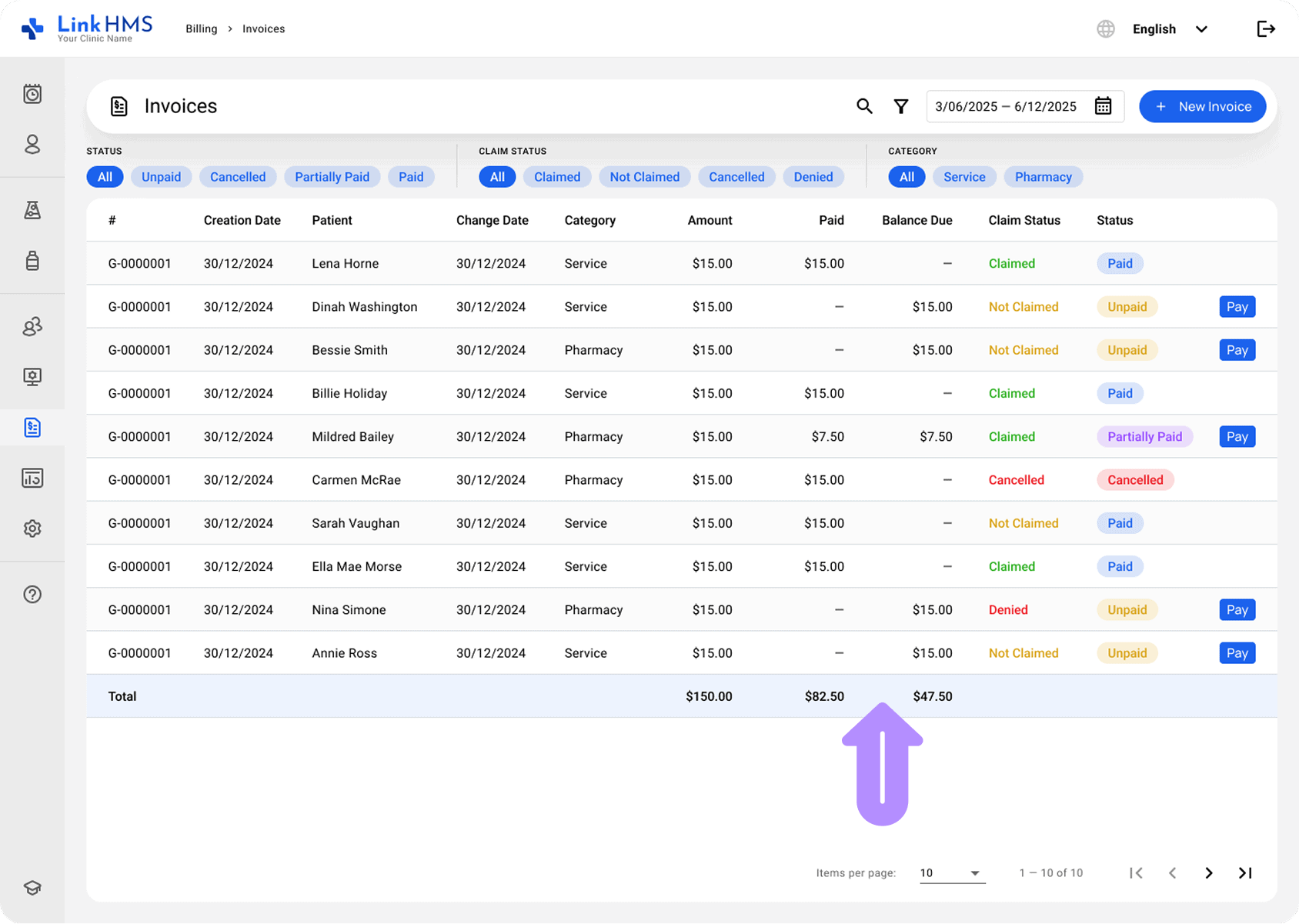
The updated Invoices tab makes it simple to filter invoices by status, claim status, or category, helping you quickly narrow down the results. You can also view key details such as Patient, Amount, Paid, and Balance Due at a glance to faster identify necessary invoices and manage them more efficiently.
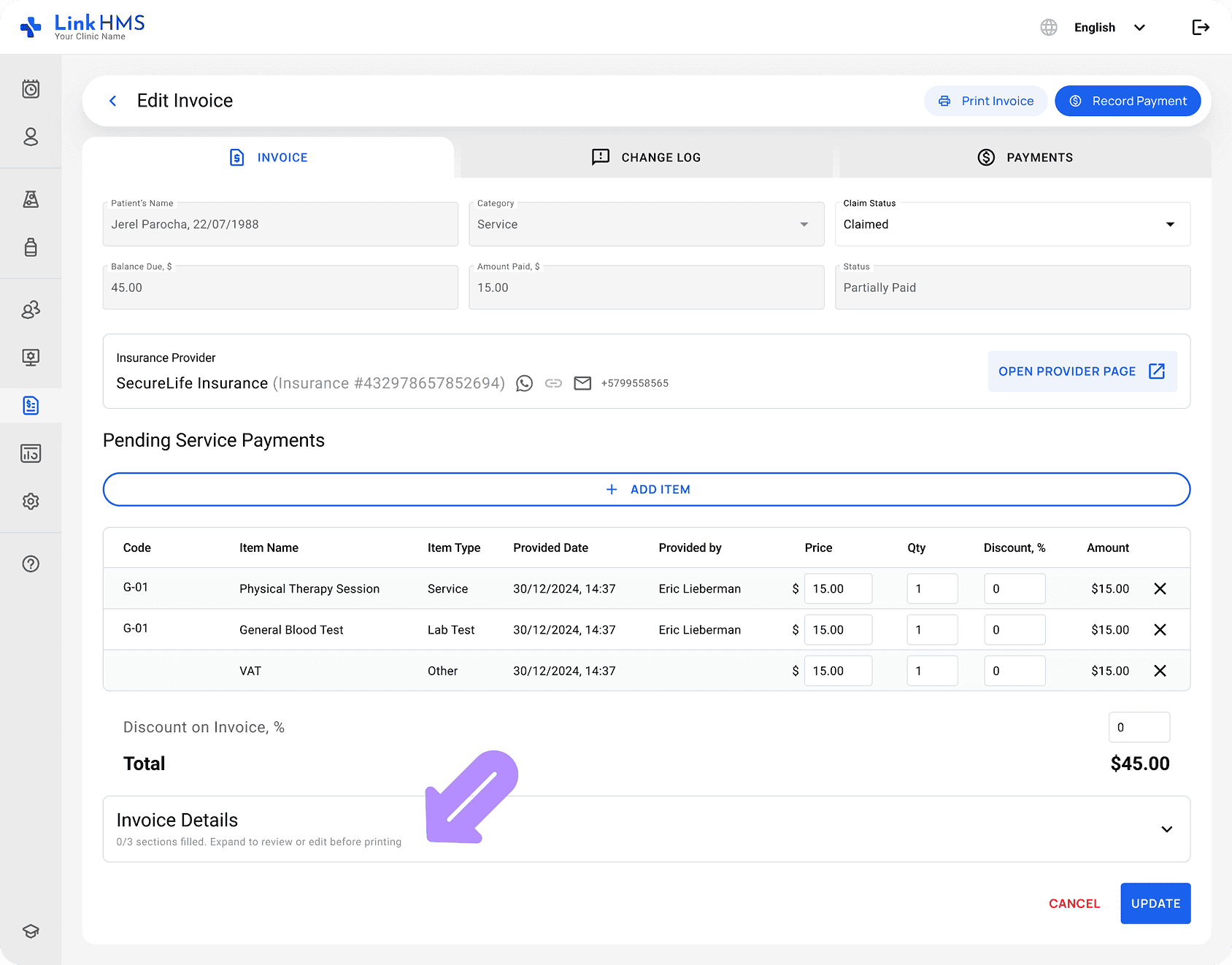
Customizable invoice details for PDF invoices
Invoices now include customizable details to match your clinic’s needs. The billing information is normally prefilled from your clinic settings, but can be updated as needed. It allows you to keep invoices relevant and aligned with your billing requirements when shared or printed.
Flexible partial and installment payments recording
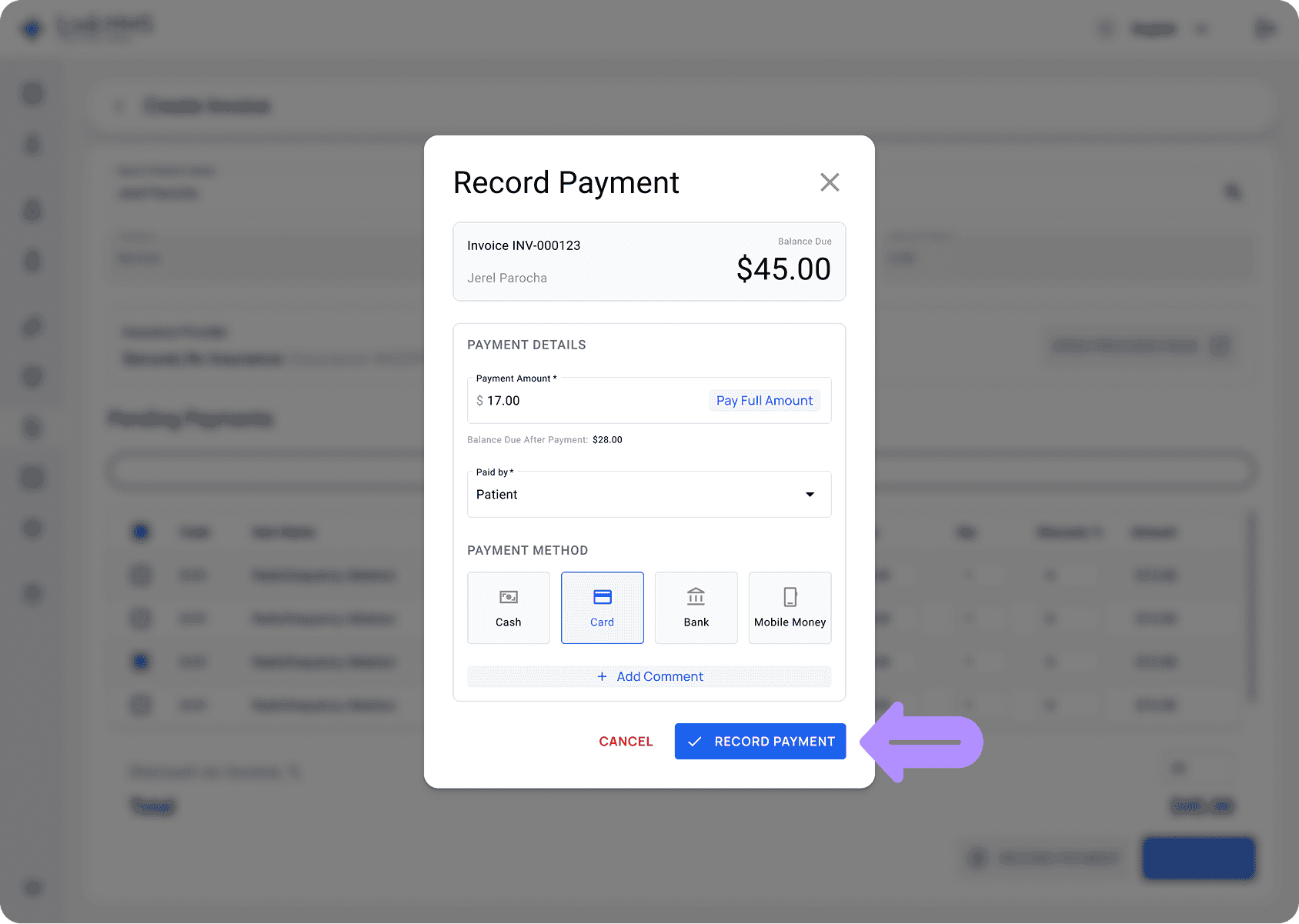
Payment recording is successfully added to invoices to capture full or partial payments. You can enter the payment details either from the invoice view or using the Pay quick button in the invoices list. The form allows you to specify the payer and payment method, and to add comments, making the process quick and complete in one step.
Built-in payment tracking with automatic balance updates
Every time a payment is recorded, the system will automatically update the Amount Paid and Balance Due in real time. Whether a payment is full or partial, the changes are reflected instantly. The LinkHMS system also prevents overpayments and maintains clean, reliable financial records without manual calculations.
Payment history & reversal
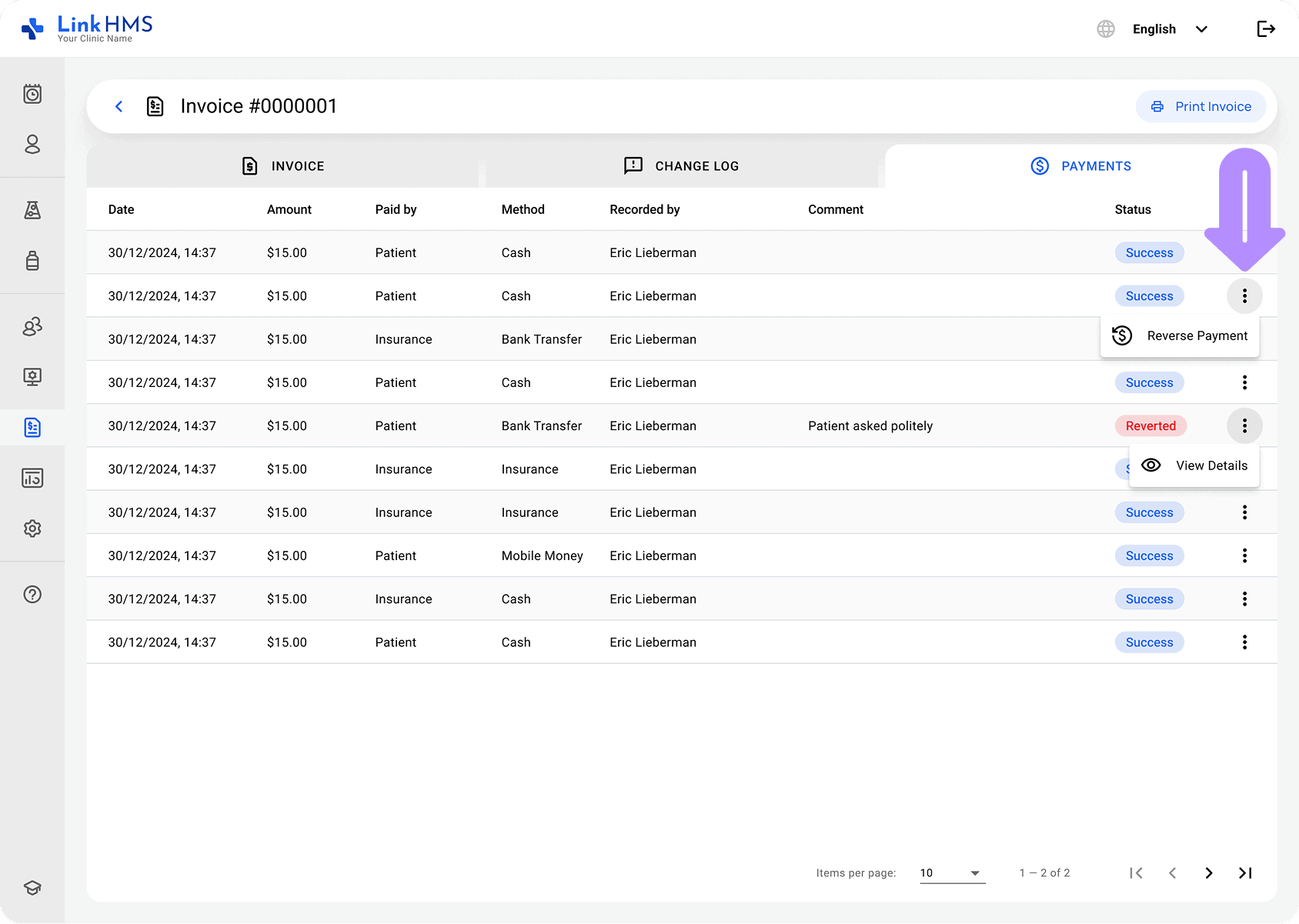
We’ve also included the new Payments section to provide a complete view of all transactions, payer, method, and comments clearly captured. If needed, payments can be reversed with a reason, and all actions are recorded for full transparency and a clear audit trail. It supports easy error correction and ensures full control over financial transactions.
These updates bring greater clarity and control to invoice and payment management in LinkHMS. With improved visibility, flexible payment handling, and built-in tracking, you can manage your clinic’s billing more confidently.