We’re excited to share a significant update to the LinkHMS system that improves prescribing workflows and tracks medication administration. The newly introduced functionality offers clearer visibility into patient medications and alignment between prescribing and administration processes. We help your clinics build greater confidence in patient medication management and use the latest solutions in your daily operations.
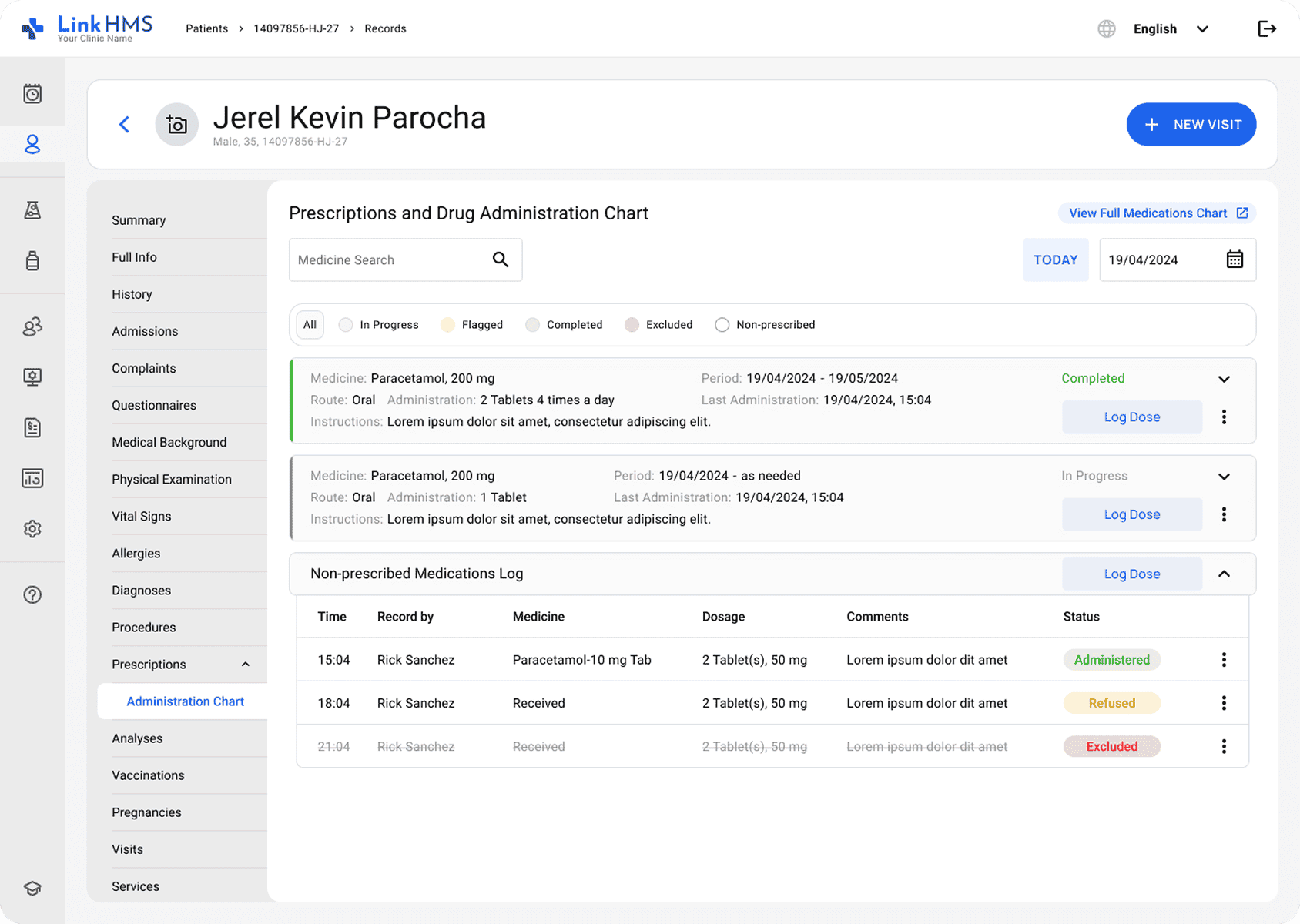
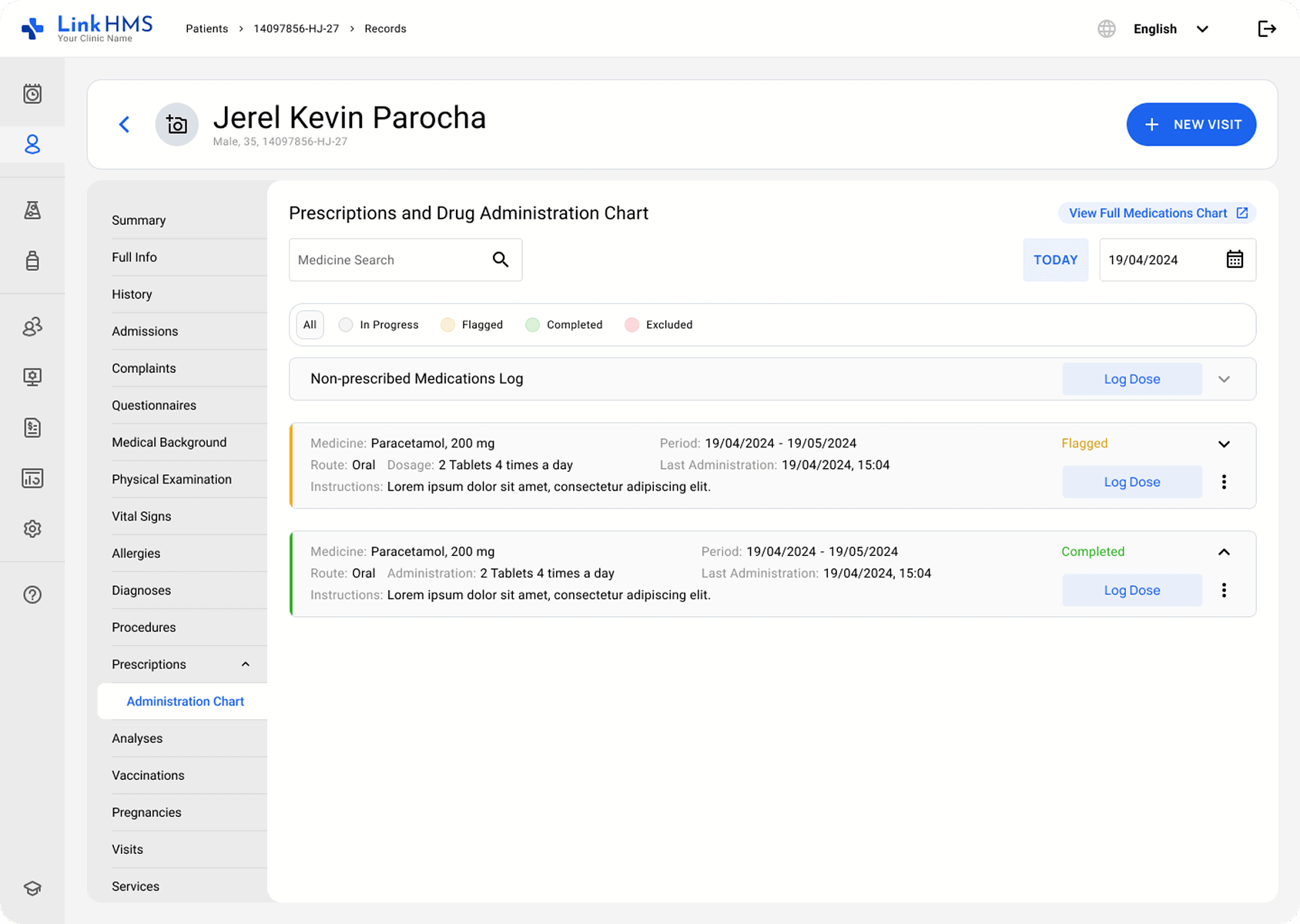
Our latest release focuses on advancing medication management with the introduction of the new drug administration chart. It provides clinics with a clear and organized way to track every aspect of medication delivery. Your staff can now easily capture doses administered from inpatient prescriptions, log medications given during outpatient visits, or record unprescribed medications when immediate clinical action is required.
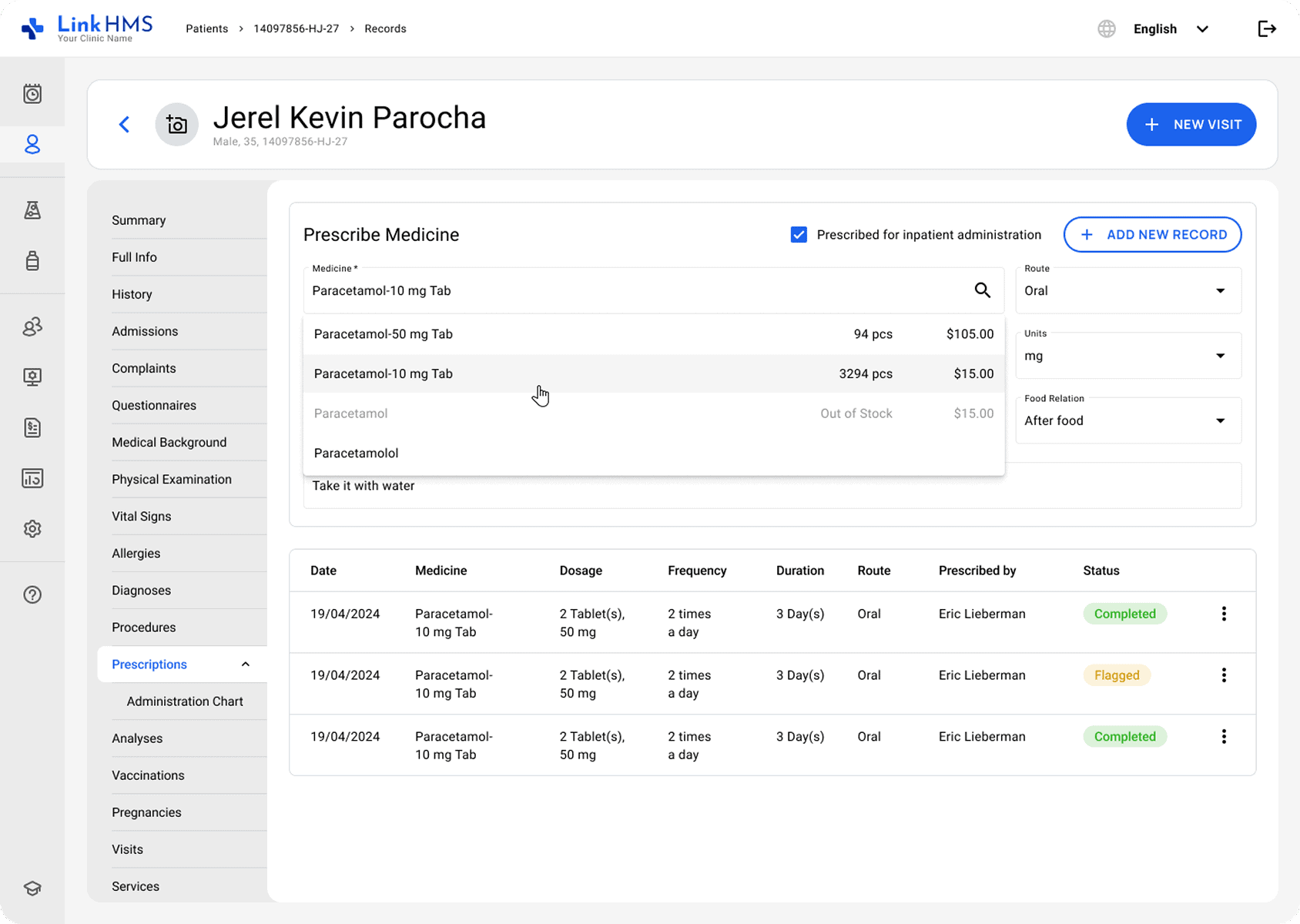
The LinkHMS team has also improved the prescriptions tab with the updated dropdown options, new fields for more detailed entries, and full integration with the administration chart. These updates can help your team stay organized and connected to manage prescriptions and medications from start to finish.
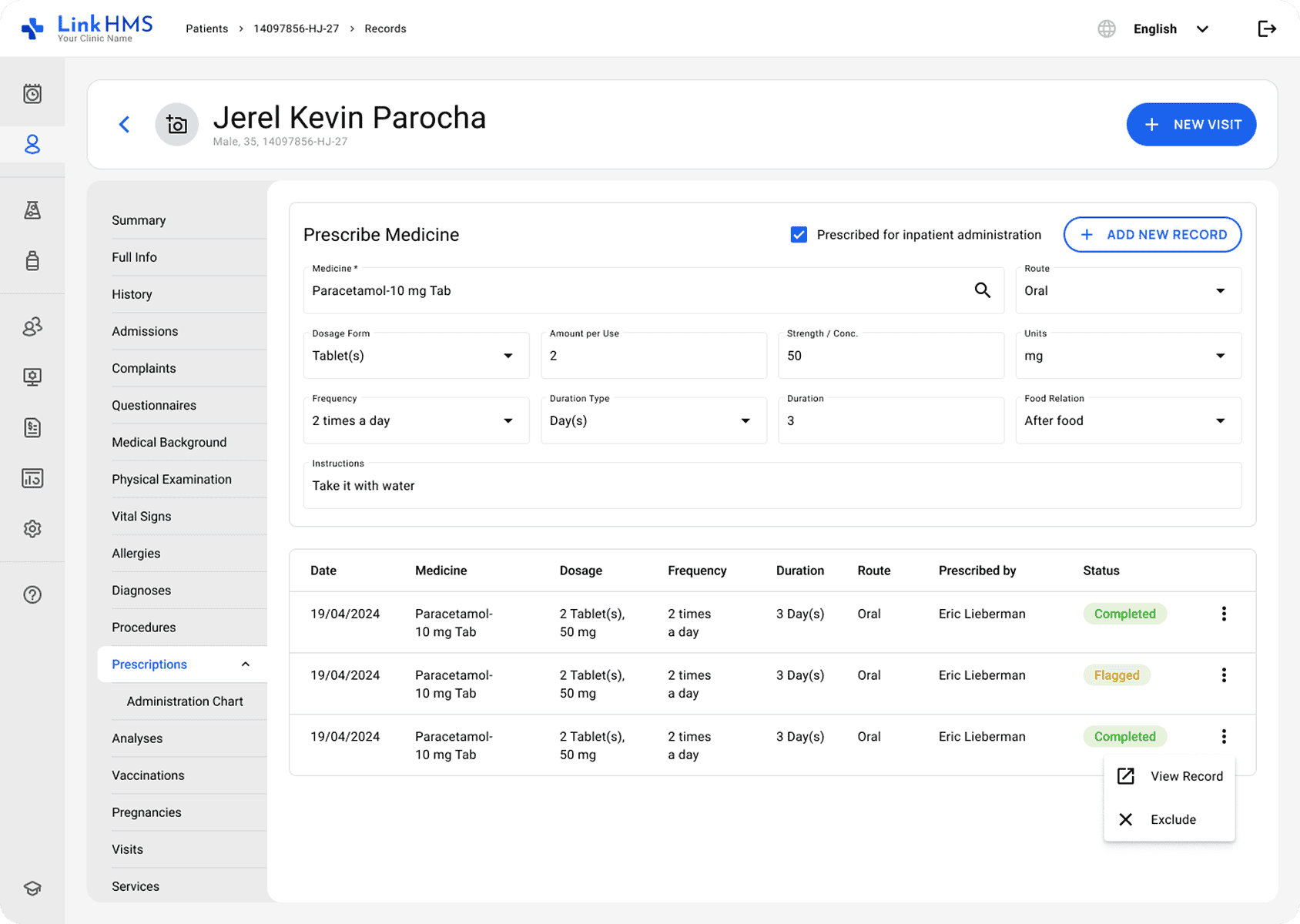
Doctors continue to create prescriptions in the same way as before through the prescriptions tab. The new step is the option to mark a medication as prescribed for inpatient administration. When a doctor selects the checkbox marking a necessary drug, that medication is automatically added to the patient’s drug administration chart.
The system separates medications into two card types: prescribed medications, shown in standard medication cards, and unprescribed medications, displayed in the non-prescribed medication log. It allows clinic personnel to follow the doctor’s prescription and log medicine that does not require a prescription but must be recorded for accurate patient care.
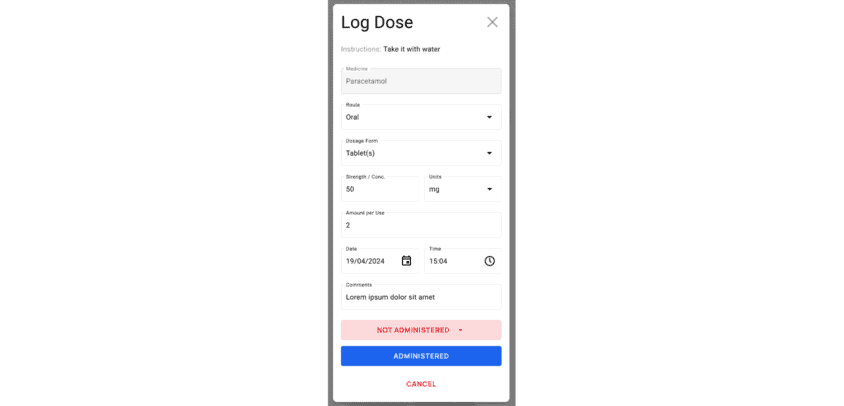
From there, they can log each dose given, track statuses, and maintain a complete administration record. The drug administration functionality is also fully mobile-friendly and optimized for on-the-go use. For added convenience, clinic staff can use this functionality either on mobile devices while on the move or at nursing stations using desktops. It supports recording doses in real time, reduces delays, and ensures that logged records always reflect the most current information.
Another killer feature provides a clear view of drug administration statuses, showing how each medication is being managed. Automatic status updates bring a new level of transparency and control to medication workflows. Medical personnel can instantly and accurately determine whether a medication is being actively administered, has reached its scheduled end, or has been intentionally excluded.
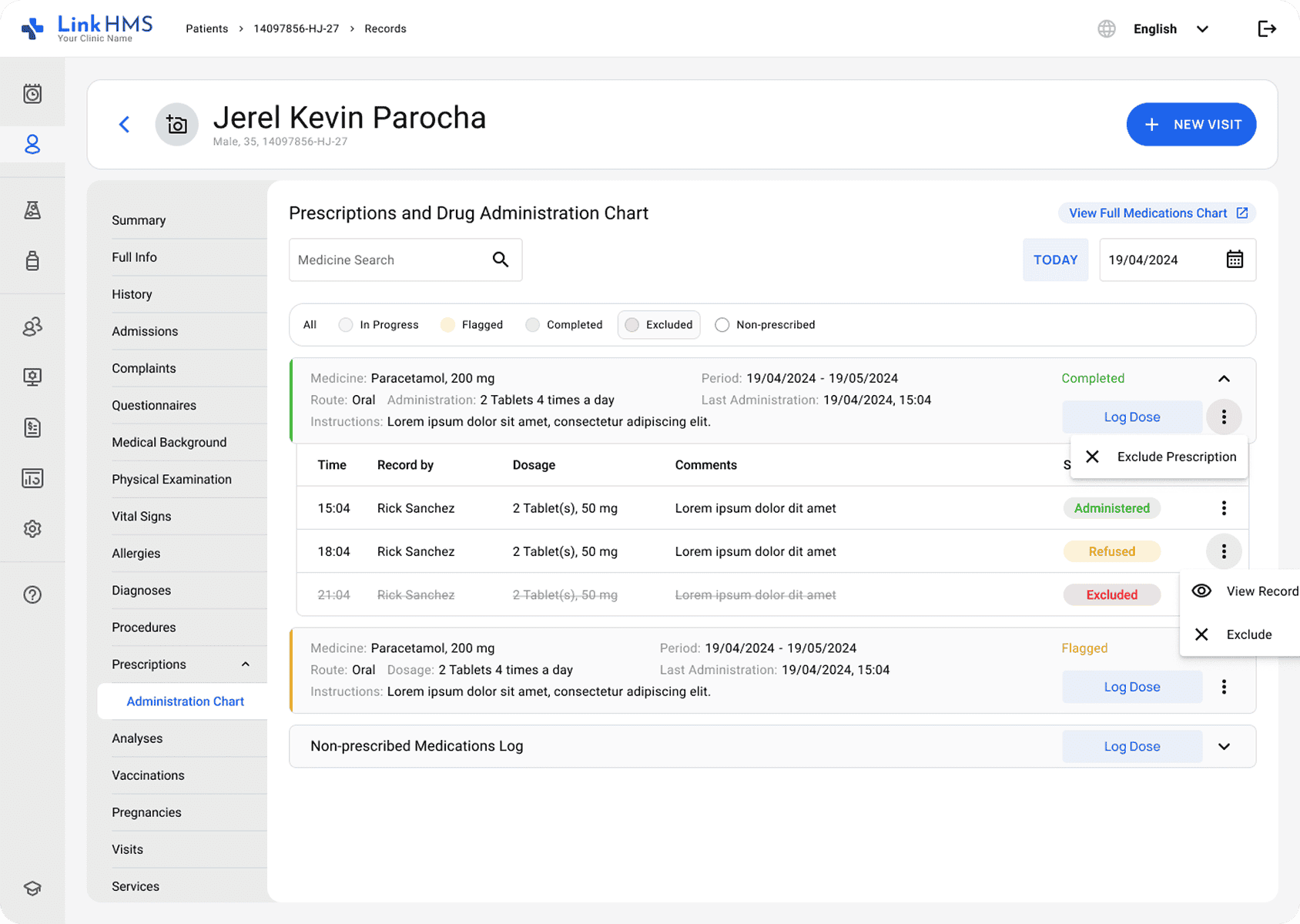
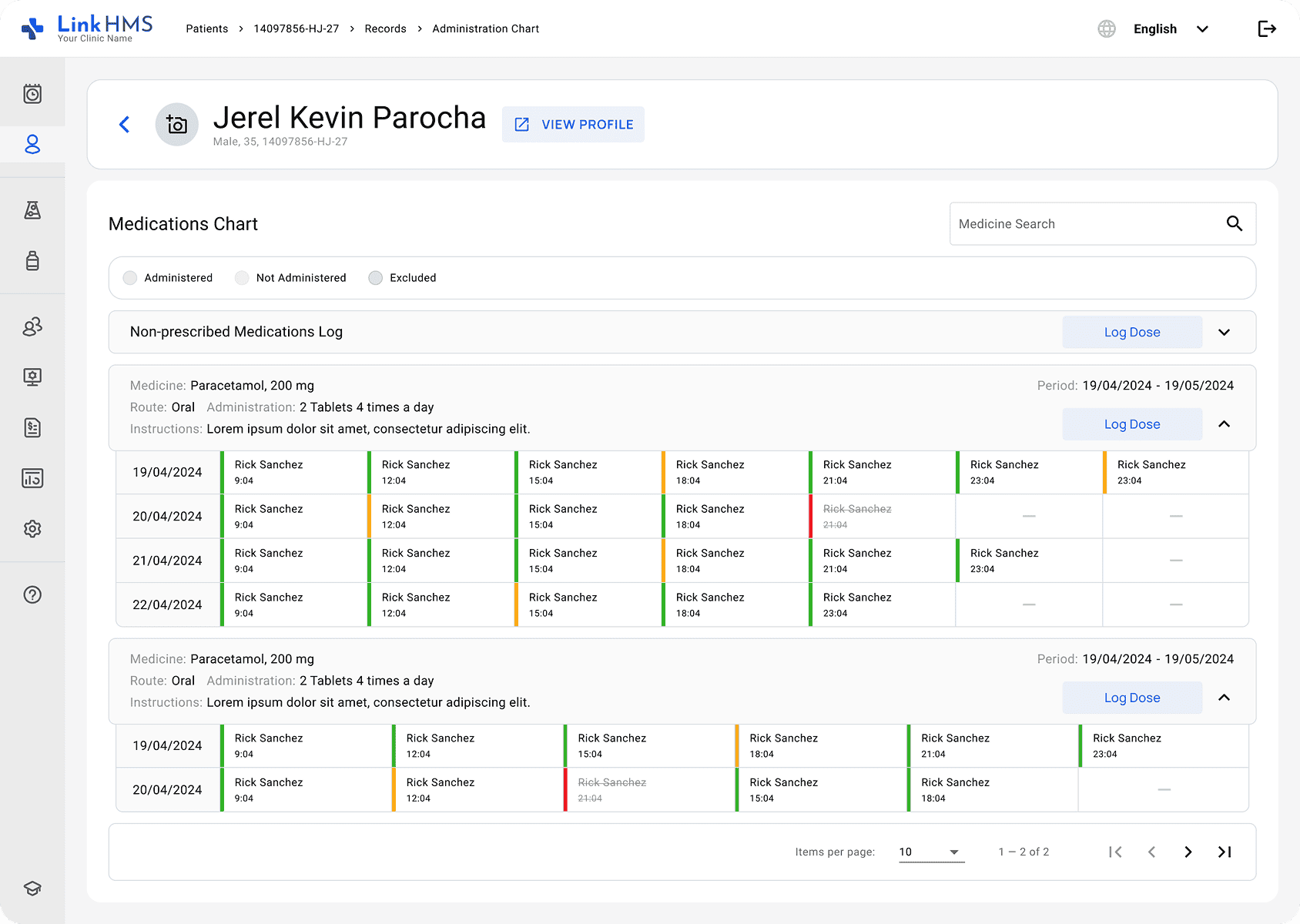
Administration covers clear, meaningful statuses such as in progress, flagged, completed, or excluded to indicate the medication’s state. You can also use the status buttons as filters. It automatically updates the chart to show only the medication cards that match the selected status. Besides, color coding makes medication progress easy to read: green for on-track dosing, amber for issues needing attention, and red for excluded prescriptions.
We’ve also implemented the full medications chart functionality, which displays a complete table of all doses logged by staff across the prescription period. This view compiles every entry submitted through the log dose feature, providing a clear, comprehensive record of medication activity from start to finish. The same color-coding is applied here as well, making it easy to spot not administered and excluded doses.
The LinkHMS team worked to offer a more complete medication management experience. Updated prescriptions and the new drug administration chart will now support a straightforward prescribing process and a full medication history. These improvements can add more structure and reliability to your medication processes.