Alongside medical operations, every clinic handles a ton of administrative tasks. LinkHMS features extended invoicing tools to simplify billing and improve invoice management efficiency. We help your clinic track finances and ensure transparent charges for your services.
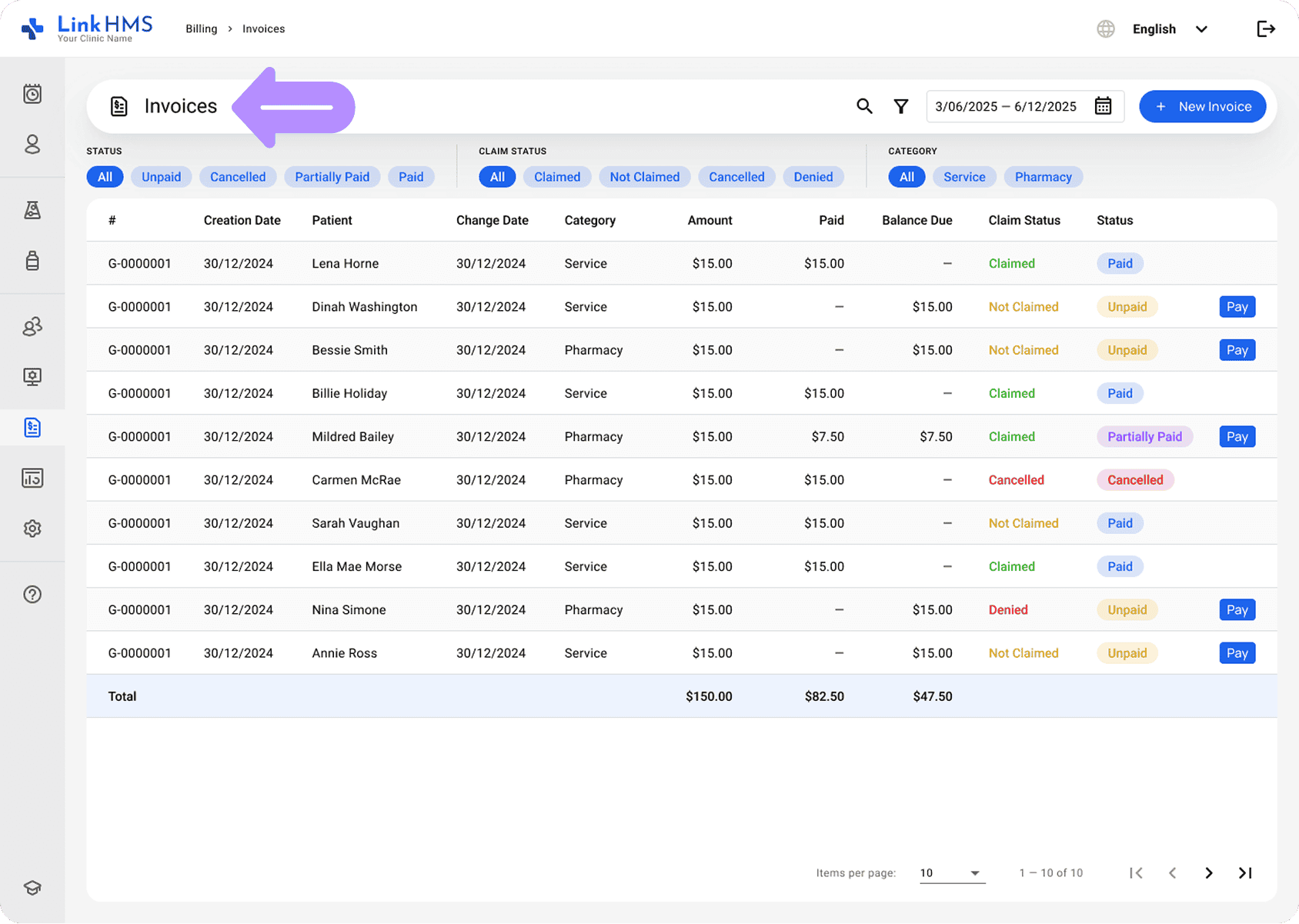
Any services recorded in the EMR during visits or admissions, or in the patient’s profile, automatically become the subject for invoicing. The Billing tab contains all the generated invoices, each reflecting the recorded services and providing the necessary details for billing and management.
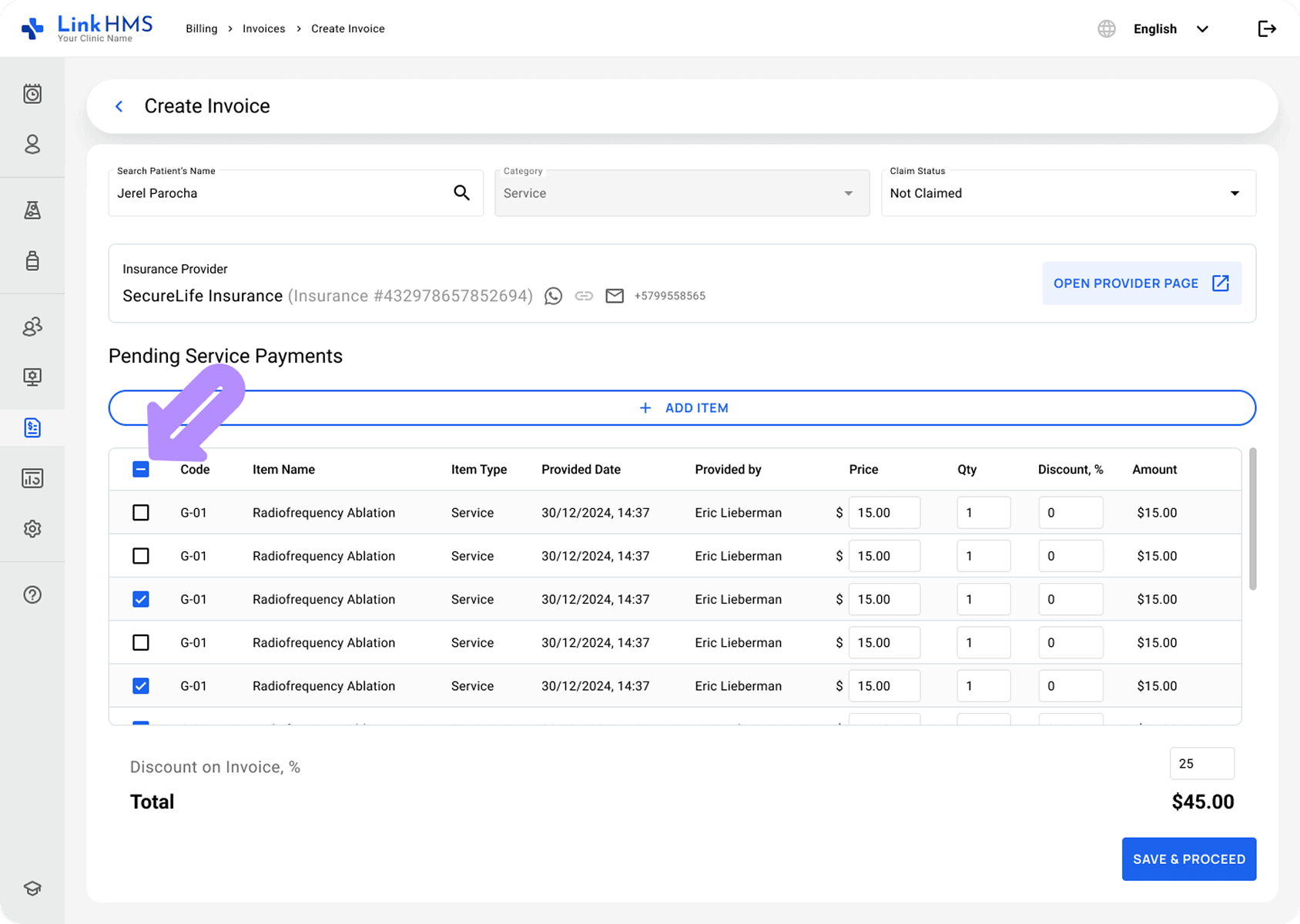
Receptionists and clinic administrators can easily review the list of pending service payments previously recorded by doctors. The system displays all pending items for the selected patient, so they can include the necessary charges in a single invoice.
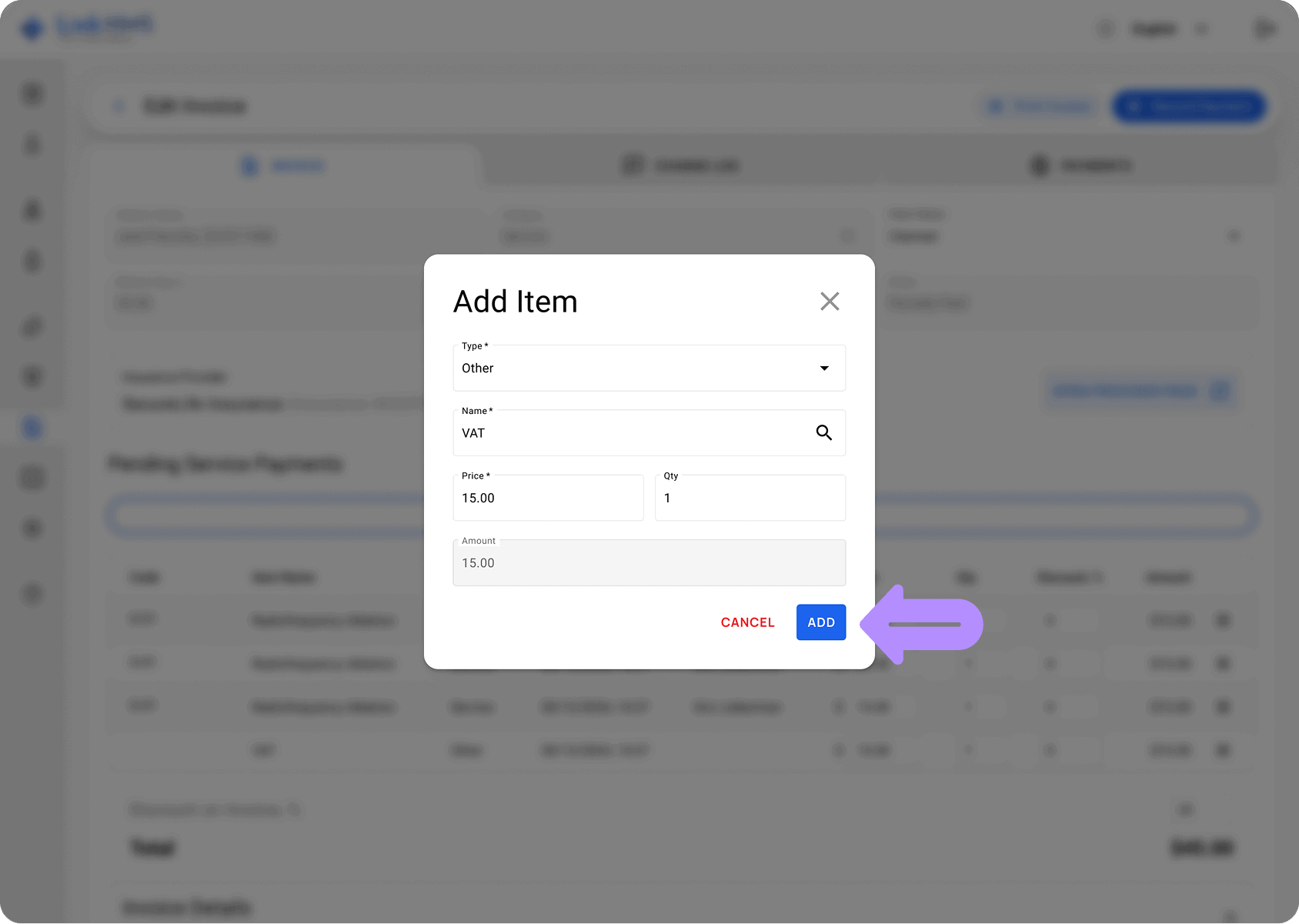
In addition to the existing list of charges, receptionists can also manually add new service fees, such as non-included services, VAT, custom charges, or any other non-standard service, directly to the invoice.
Service prices are primarily set in the Administration module and automatically applied to invoices. However, we’ve also included the functionality to adjust these prices or modify the quantity as needed. It allows receptionists and clinic administrators to make necessary changes and apply additional discounts before finalizing invoices.
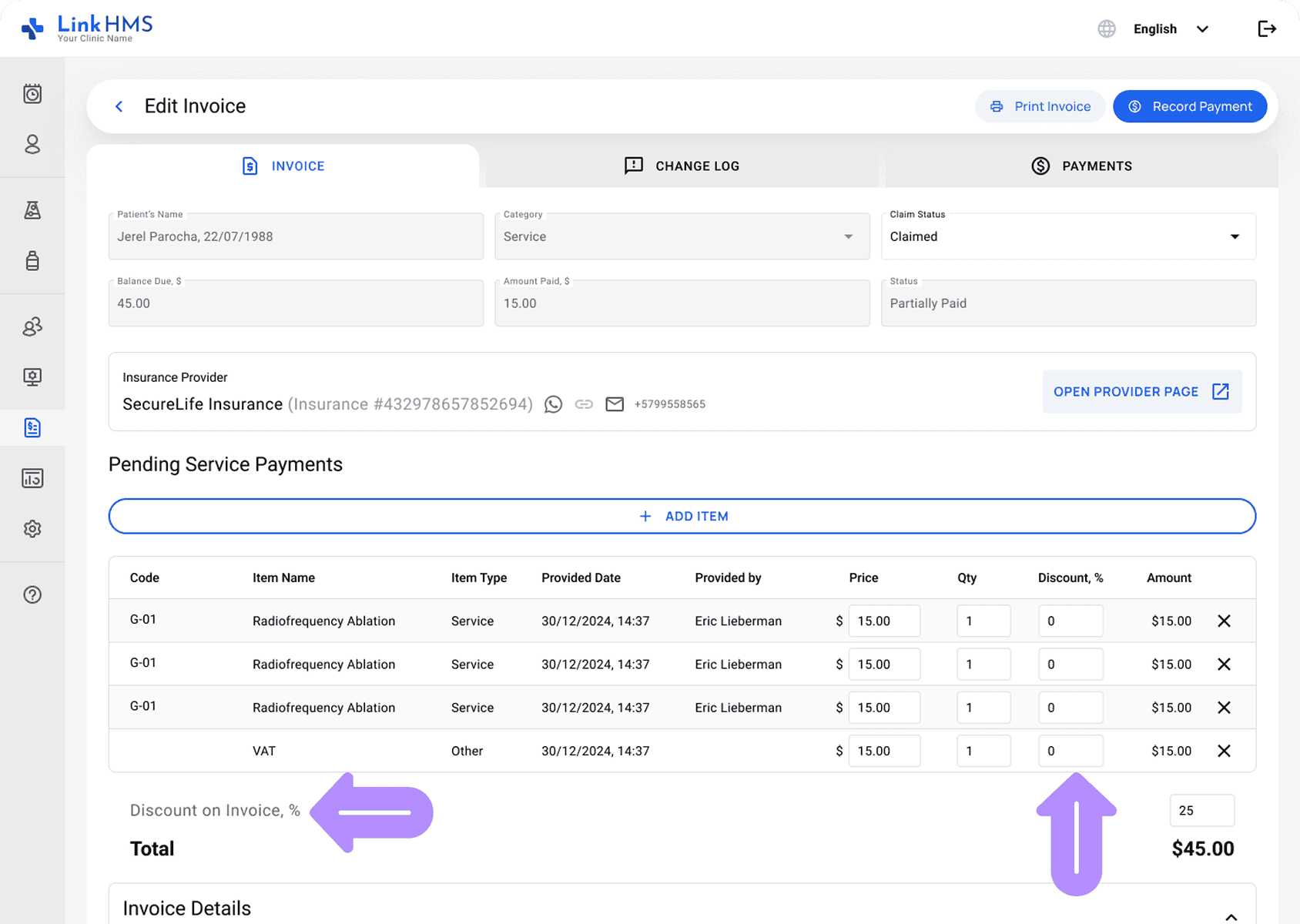
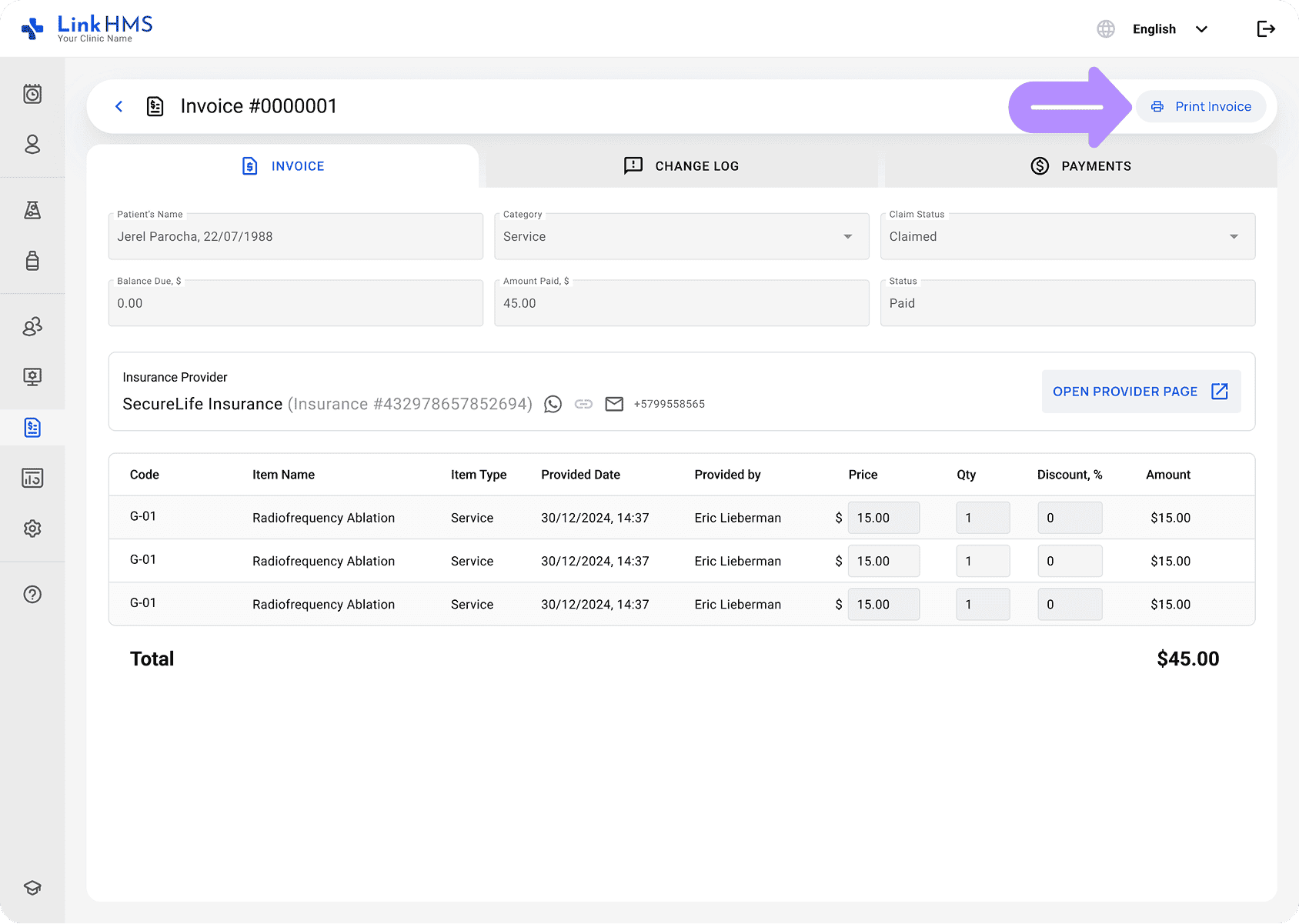
As invoice generation is simplified by automatic calculations and predefined templates, the receptionist just uses the Finish Invoice button to save changes, confirm all details, and generate the invoice. They can also print and save invoices as PDFs for easy reference.
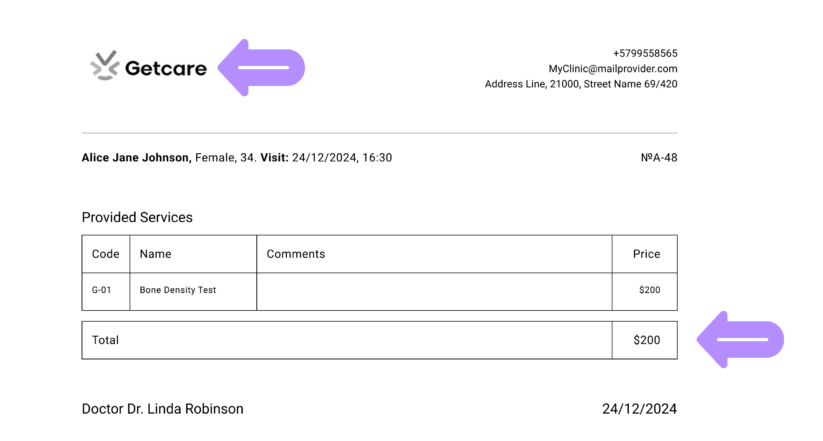
All invoices generated with LinkHMS include up-to-date clinic information and can be branded with your logo, which the clinic admin uploaded before.
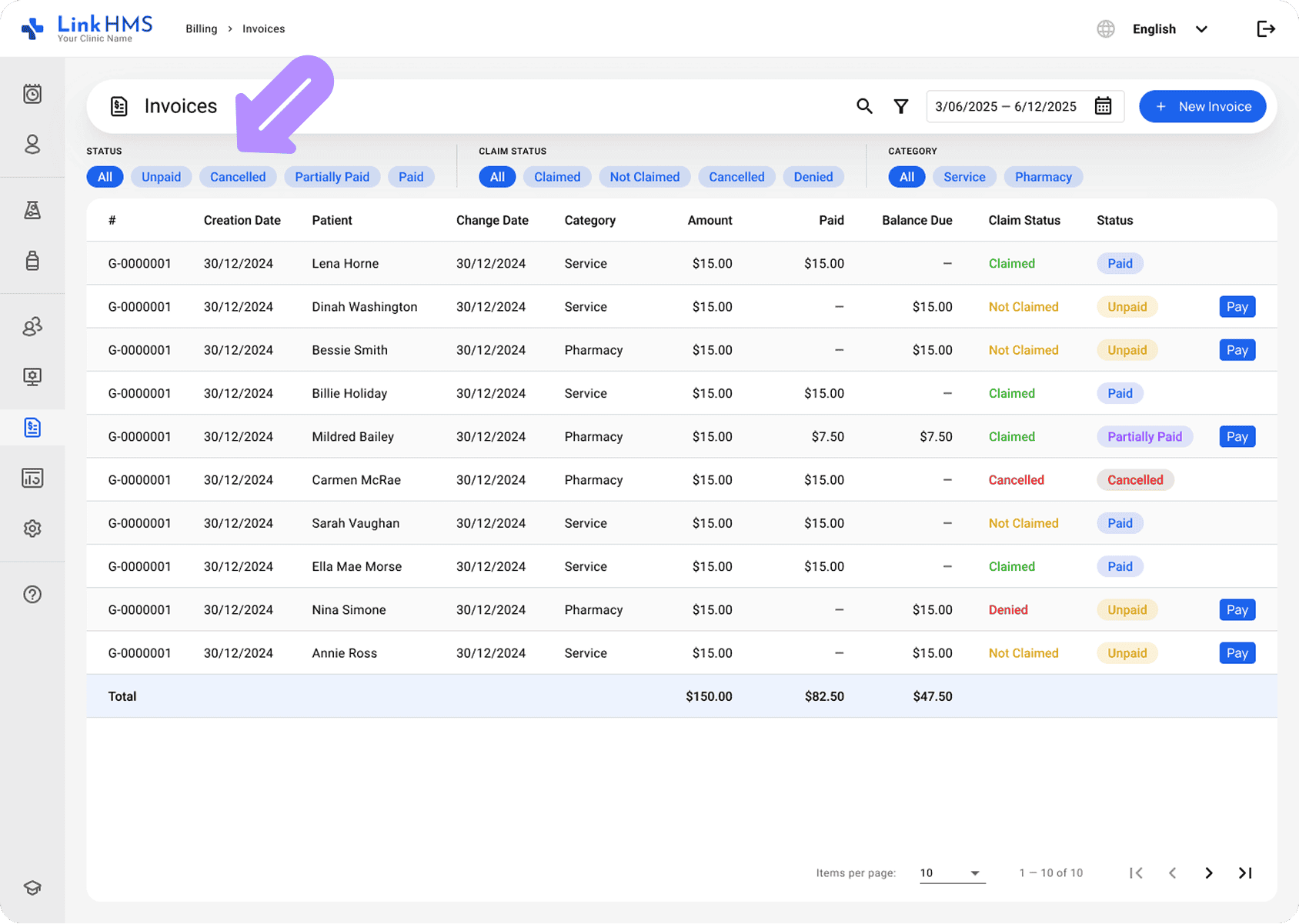
It’s simple to update invoice statuses and record payments in LinkHMS, with real-time tracking and color-coded statuses. All invoice changes and payment activities are recorded in the Change Log and Payments tabs for full traceability across the billing workflow.
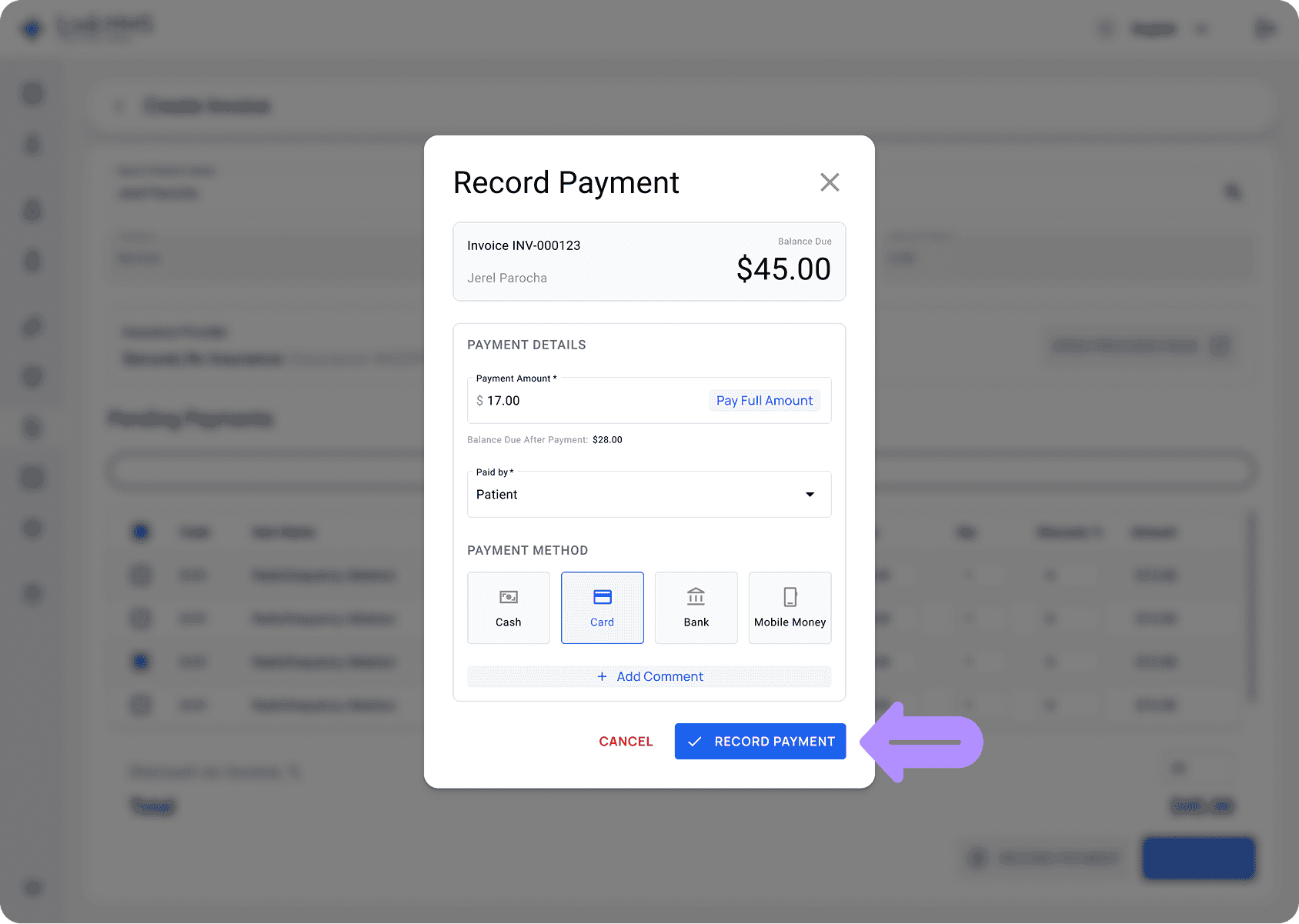
LinkHMS helps your facility keep clinical and financial information tightly connected and centrally accessible. You can apply various filters to quickly find the invoice you need, while the system automatically updates Amount Paid and Balance Due to ensure your data is always accurate.
Invoice generation with LinkHMS is straightforward, as our system compiles all services provided to a patient and prepares them for invoicing. We support a seamless transition from service recording to invoice generation and management within your healthcare facility.